DoorDash to pilot AI-enabled ordering in Google Gemini app

DoorDash continues extending its accessibility into next-gen artificial intelligence models.
On Tuesday, March 3, 2026, the online delivery giant will soon launch a beta test of a feature in the Google Gemini agentic AI app for Pixel 10, Pixel 10 Pro and Samsung Galaxy S26 series in the U.S. and Korea. The feature will enable users to offload multi-step tasks such as ordering food on DoorDash directly to Gemini.
How it works
With a long press of the power button, users can ask Gemini to reorder their last meal on DoorDash. Gemini will work seamlessly in the background, enabling the consumer to keep using your phone.
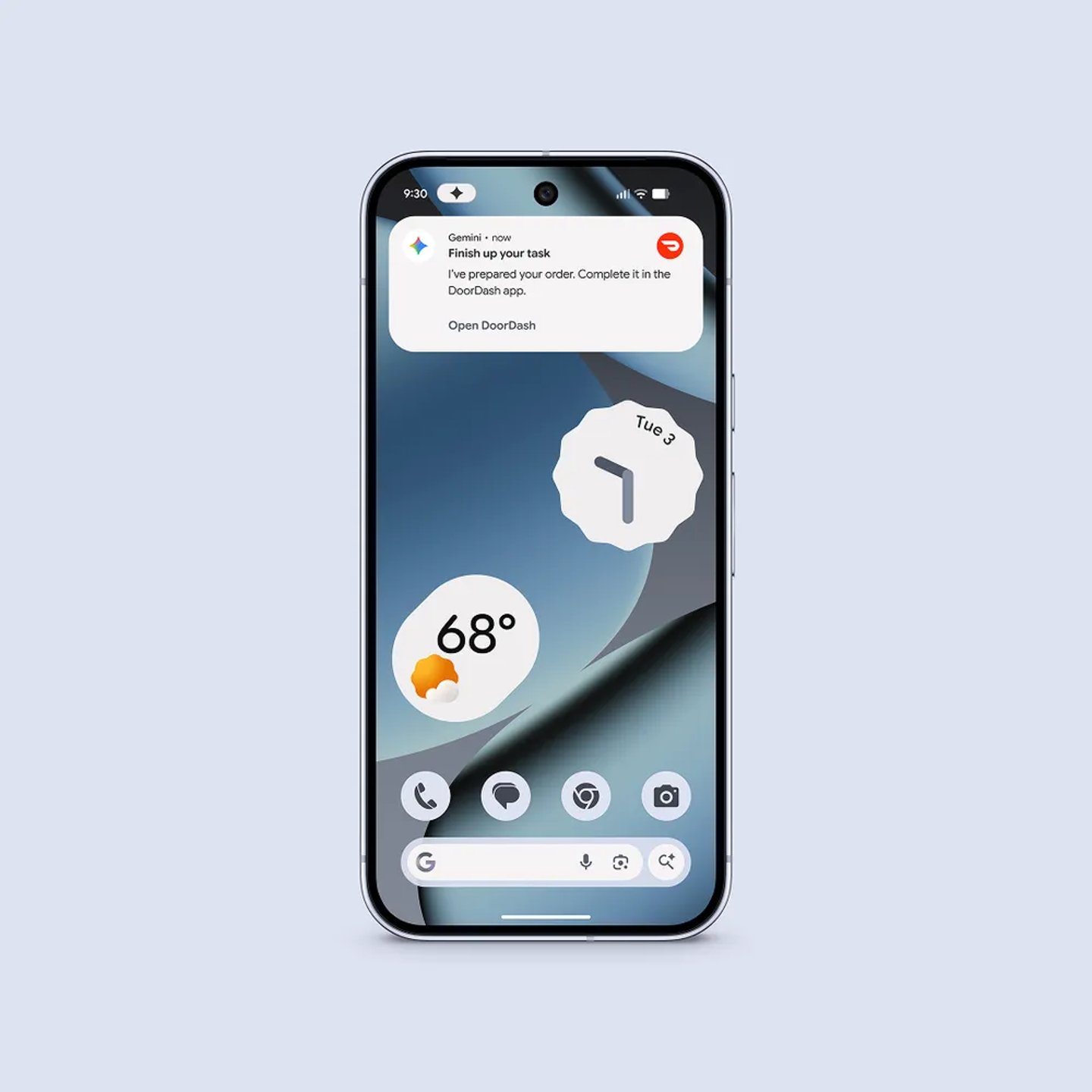
Automated tasks begin with the user’s command and stop as soon as the task is finished. Users can monitor Gemini’s progress live via notifications, allowing them to view, jump in or stop the task.
Gemini automates DoorDash ordering by running the DoorDash app in a secure, virtual window on the user’s phone, preventing Gemini from having access to the rest of the device. This beta feature will be initially available for select apps in the food, grocery and rideshare categories.
"The DoorDash integration with Gemini is another step in building the most convenient and reliable local commerce platform, embedding AI where it creates the most value for consumers, merchants, and dashers (DoorDash term for its drivers)," a DoorDash spokesperson said in an email to Chain Store Age. "We’re focused on making AI as useful as possible by helping people find, shop, and get what they need more easily than ever."
DoorDash releases ChatGPT ordering experience
This is not DoorDash’s first initiative to extend its operations into a leading-edge artificial intelligence model. In December 2025, DoorDash made its app available within the OpenAI generative AI model ChatGPT to streamline the creation of recipes and purchase of ingredients. Customers can go to their ChatGPT account settings, open the “apps” section, select DoorDash, and log into their DoorDash account.
[READ MORE: DoorDash enables recipe-based grocery shopping in ChatGPT]
Once they open a chat, shoppers can toggle DoorDash on using the plus button beside the text field to start using the app in their chat to ask ChatGPT for meal or recipe suggestions in conversational language and receive recipes tailored to their preferences.
After settling on a recipe, customers can then ask ChatGPT to shop it using the DoorDash app. The DoorDash app in ChatGPT will turn the ingredients into a shoppable grocery list within the chat. When ready to place their order, shoppers can open their cart in the DoorDash app to review items, make adjustments and complete their purchase from a nearby store.