
Amazon adds interactive chat to audio product summaries

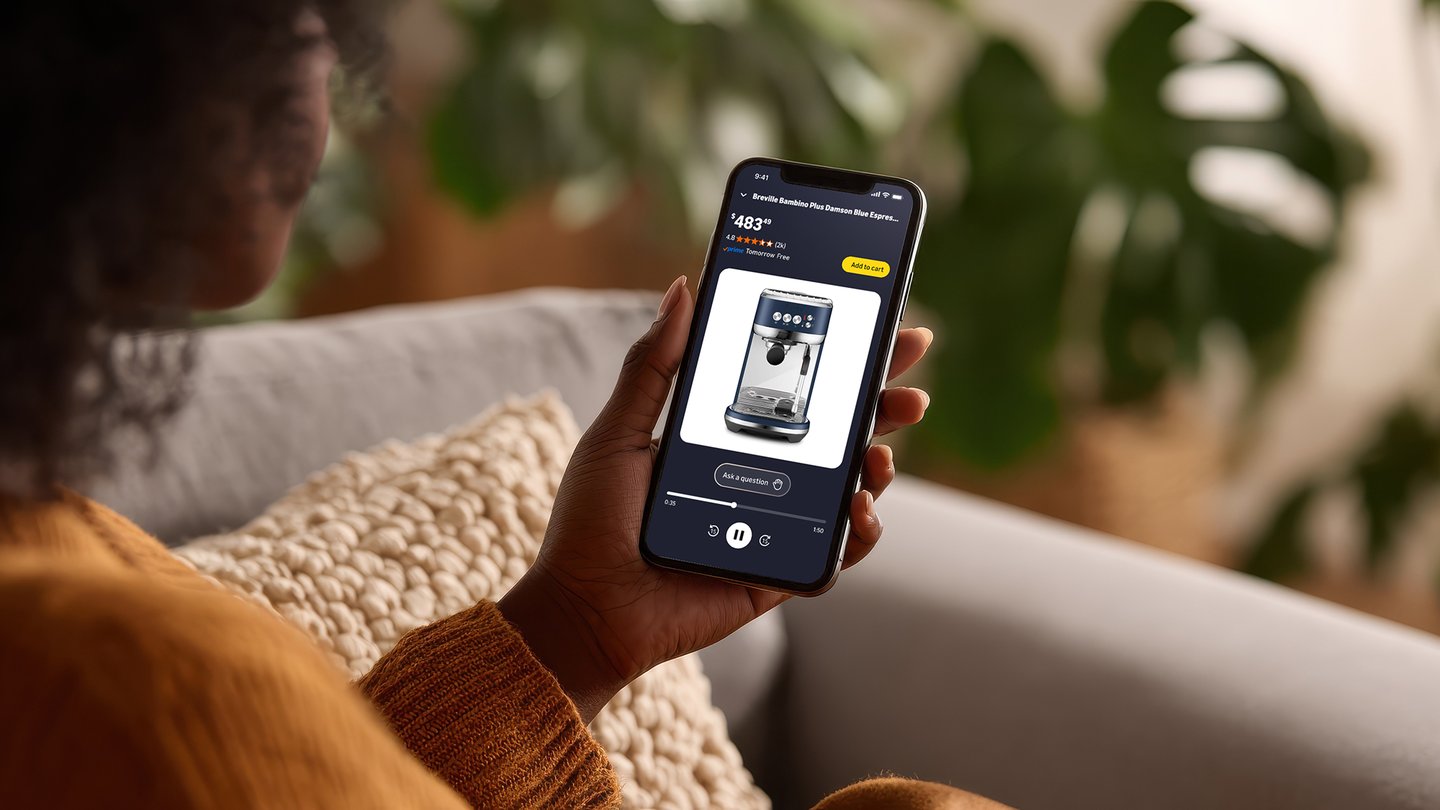
Amazon is letting customers ask questions when listening to AI-generated audio summaries of selected products.
The online giant is launching “Join the chat,” a new interactive feature in its “Hear the highlights” short-form audio product summary offering that allows customers to ask AI hosts questions via text or voice while listening to an audio summary of a product.
Amazon first tested Hear the highlights in May 2025. It offers short-form audio product summaries on select product detail pages, with artificial intelligence-based shopping experts discussing key product features.
[READ MORE: Amazon pilots audio product summaries]
The AI shopping experts analyze product details, customer reviews and information from across the web, then have discussions about product details that customers can listen to. The feature uses large language models to generate scripts, pulling from Amazon’s product catalog, customer reviews, and information from across the web, and then translating the content into short-form audio clips.
Shoppers can listen to the short-form audio summaries on product detail pages by tapping the “Hear the highlights” button in the Amazon shopping app.
With Join the chat, at any point in an episode, customers can ask a natural language question about a product being discussed and the AI hosts incorporate the question into the conversation, deliver a tailored response based on product details, customer reviews, and other publicly available information, and then seamlessly continue the episode.
Join the chat also understands context. According to Amazon, when a customer asks a question, the AI hosts consider what's already been covered and respond with new, relevant information.
The experience is delivered by several AI technologies working together. Each episode begins with an AI-generated script. When a shopper asks a question, the script adapts in real time to deliver a relevant answer. Advanced text-to-speech technology then enables the virtual hosts to reply naturally and match the tone of the original episode.
How it works
- Customers can open the Amazon shopping app and go to a product detail page.
- Products with an audio summary available will have a Hear the highlights button below the product image.
- Customers then tap play on the Hear the highlights button and listen to a short audio conversation about key product features.
- To Join the chat, customers tap the raised-hand icon to expand into the full screen view, then either type their question or use the microphone icon to ask by voice. Customers can minimize the player at any time and continue listening while you browse on Amazon.
"This approach creates something different: an experience that is both informative and adaptive," Rajiv Mehta, VP, conversational shopping, Amazon, said in a corporate blog post. "Customers can ask questions and actually steer where the conversation goes. Every question they ask influences what comes next, making the experience a conversation customers can join and customize."
Join the chat is currently rolling out to U.S. customers on iOS and Android.